
Pro
Test two versions of your page
Run two versions against each other, let real visitors decide, and keep the one that won.
Decide what would settle it
An experiment shows half your visitors one version of your page and half another, then reports which one did better at one thing you picked in advance. That one thing is Main goal, and choosing it is most of the work.
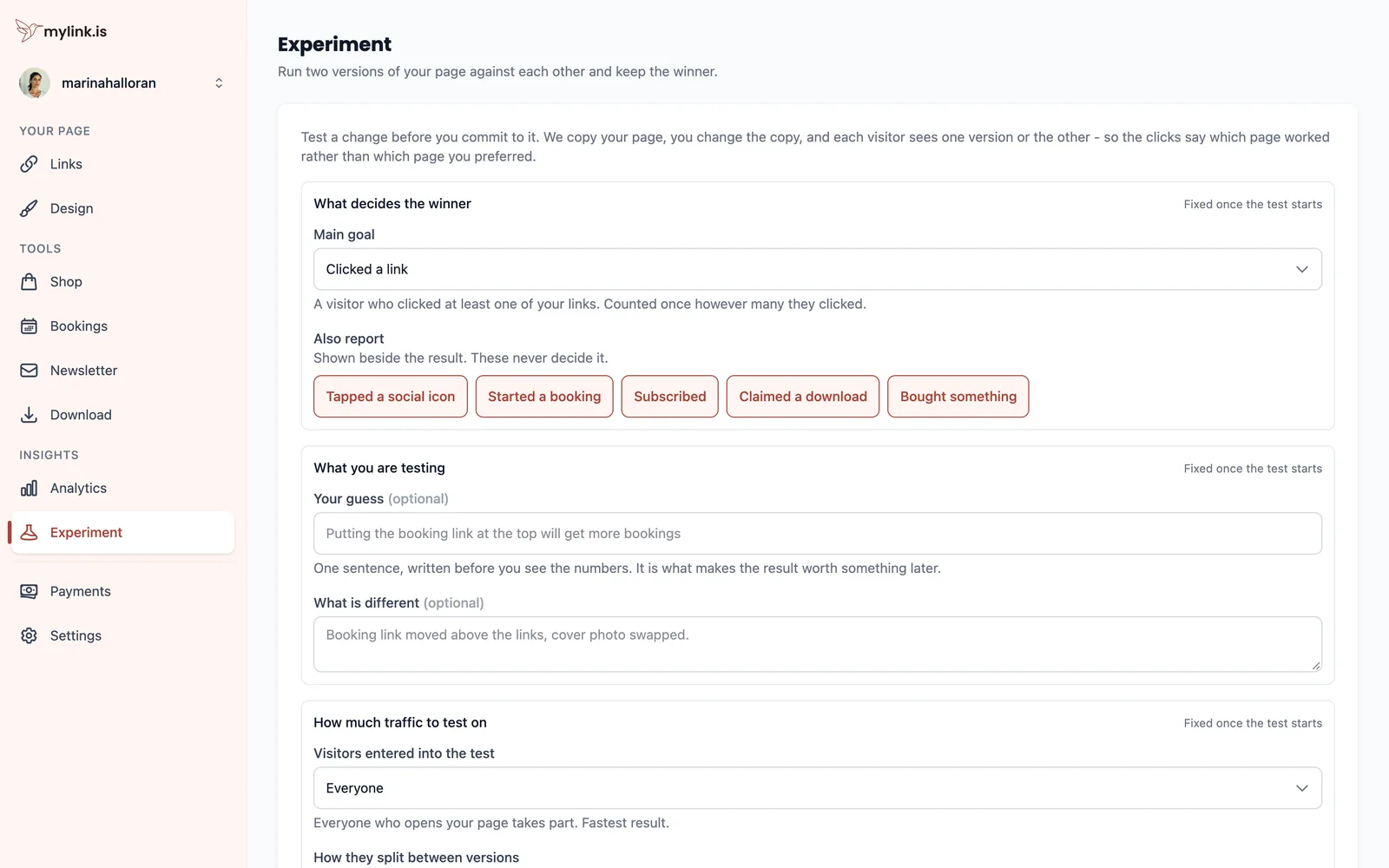
Pick the goal closest to the thing you actually want. If you want bookings, do not measure link clicks because they move faster.
Write the guess down first
Your guess is one sentence, written before you see any numbers. It is optional and it is the field most worth filling in.
A result you predicted teaches you something about your audience that you can use again. A result you explain afterwards teaches you nothing, because any outcome can be explained afterwards.
Choose how much traffic
Two settings decide how fast an answer arrives: how many of your visitors take part at all, and how they split between the versions.
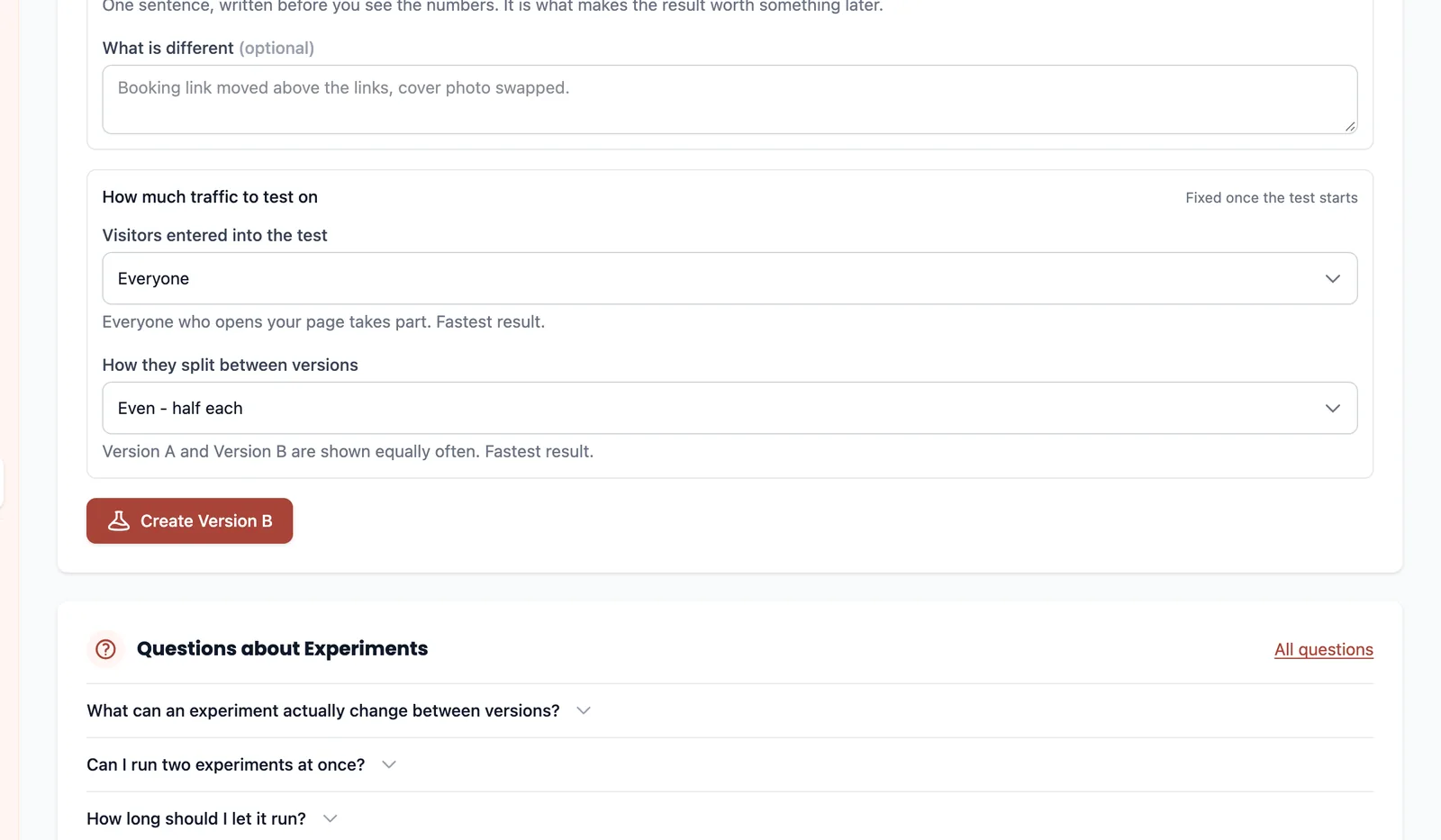
Build version B
Starting a test copies your page. Version B is that copy, and you edit it exactly like your own page — the link list and the design.
Your tools are not part of it. There is one appointment book, one subscriber list, one file and one payment account per page, so there is nothing for a second version to hold a different answer to. Set those up before you start a test rather than inside one.
Change one thing. Two changes at once produce a result you cannot act on, because nothing tells you which of them moved it.
Let it run
The experiment screen estimates how many visitors it needs to tell a real difference from a coin flip, which is a far better guide than a number of days.
Calling it on day two, when one version is ahead, is the mistake that makes testing worthless — early leads swap constantly at low volume. One test at a time, for the same reason: two overlapping tests make every result ambiguous.
You cannot publish while a test is running, and that is not an oversight. Publishing would change the thing being measured half-way through, so the visitors counted before the change saw a different page from the ones counted after. If you need to make a change, stop the test, make it, and start again.
Keep the winner
When you finish, you pick the version to keep and it becomes your page. The other one goes.
What it measured does not go. The comparison screen keeps both versions' numbers side by side, which is the only place those two figures mean anything — a losing page on its own is just a draft nobody will publish.
Ready to try it?
Everything in this guide is a Pro feature. Pro starts with a 14-day trial, and your page itself is free either way.