Pro
Sell products from your page
Put a shelf of things people can buy on your page, and take the money into your own account without building a shop.
Add a product
Add product gives you a title, a description, a picture and a price. You can hold up to 24 on a page.
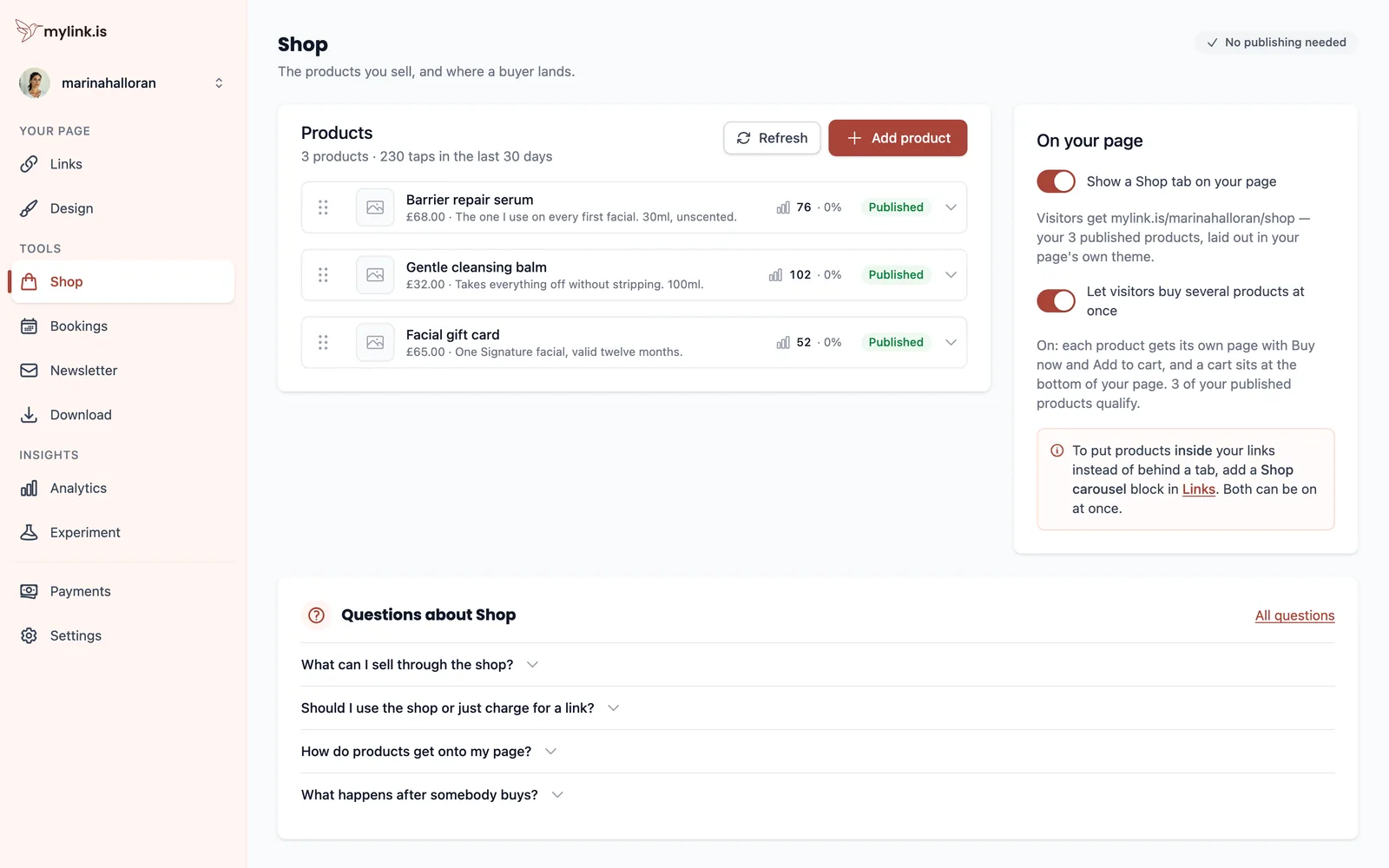
A product can hand over a file, send the buyer to a link you control, or simply be something you post yourself once the order lands. What it cannot do is take money before you have connected an account — see Payments.
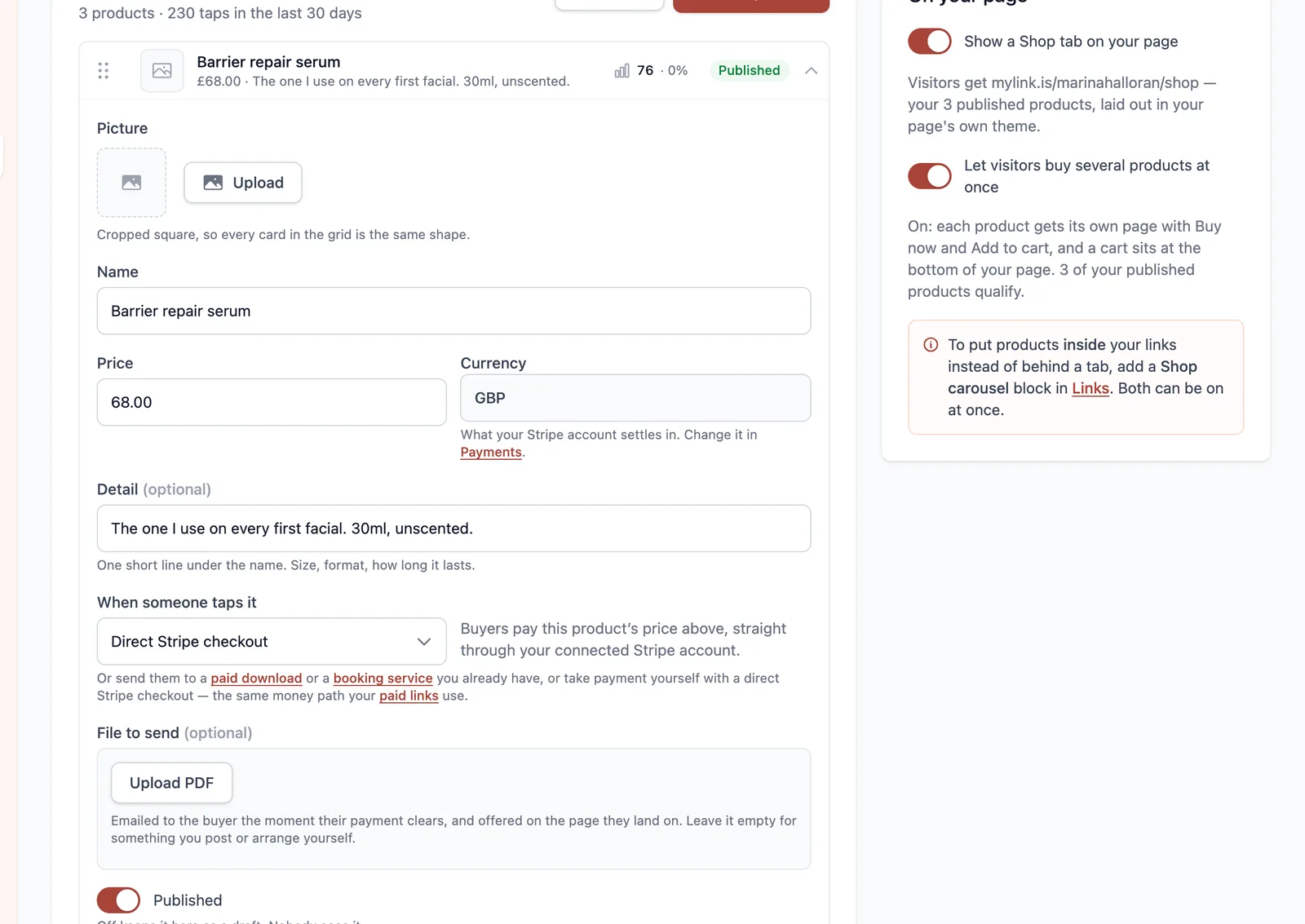
Put the shop on your page
Publishing a product puts it in the shop. It does not put the shop on your page — that is a separate decision, and there are two ways to make it.
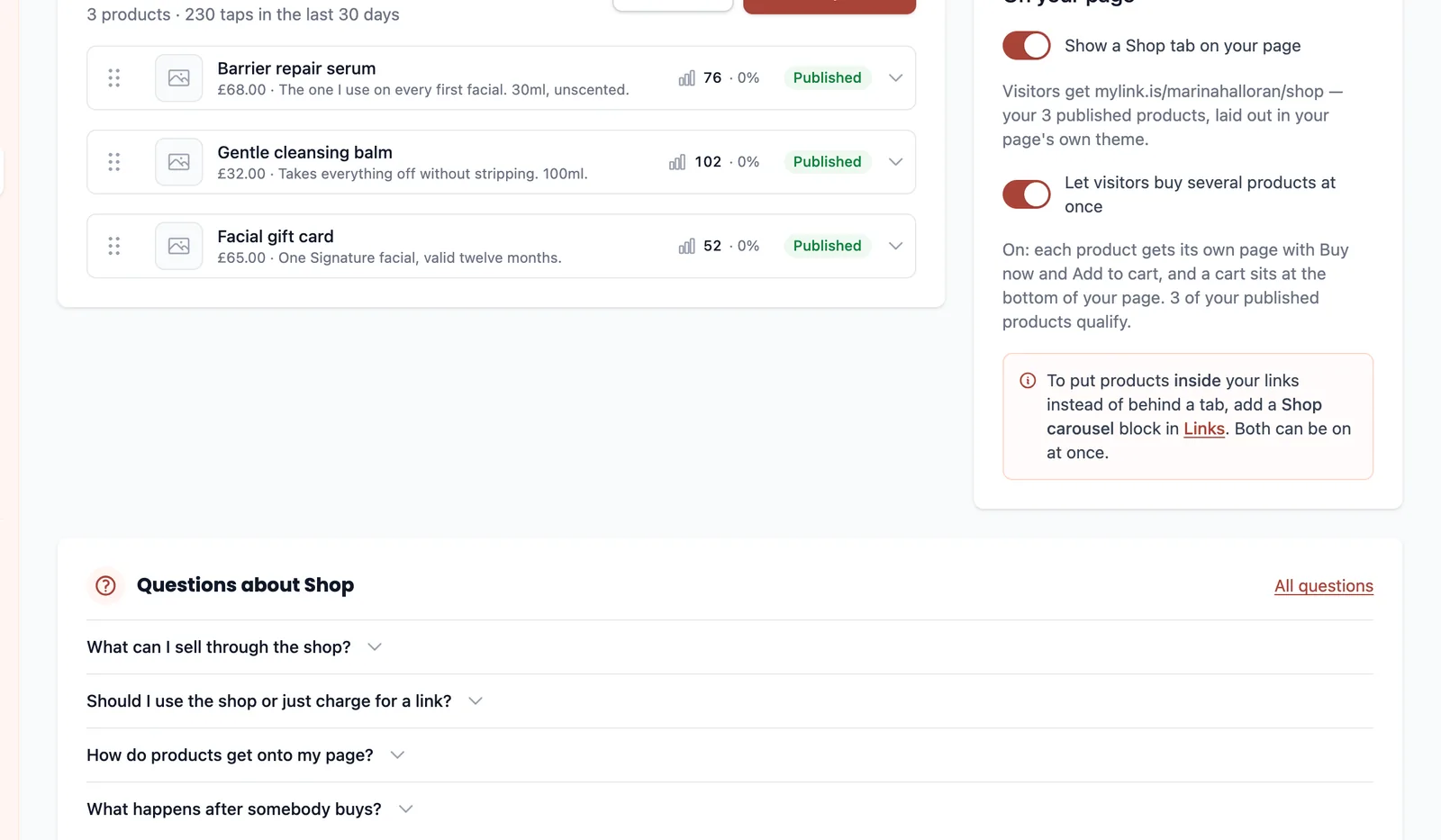
The two being separate is deliberate: a catalogue can be ready before you decide to feature it, and you can take the row off the page for a week without unpublishing everything in it. So a product that seems to have gone missing is usually published into a shop that nothing on the page points at.
One item, or a catalogue
If you sell one thing, you may not need the shop at all. A paid link is one item at one price, sold from a row on your page — less to set up, and less for the visitor to navigate.
The shop earns its keep the moment there is a second item somebody might buy alongside the first, because the cart lets them take both in one checkout. Switching the cart on also gives every product a page of its own, with Buy now and Add to cart on it.
What happens when somebody buys
The buyer goes through checkout, and the order is marked paid when the payment provider confirms it — not when the buyer lands back on your page. A returning browser is not proof of payment, and treating it as one is how a shop gives away something it was never paid for.
Once the payment is confirmed, anything attached to the product is released, the sale appears in your Analytics, and you are emailed: what sold, for how much, the address that paid and the reference the buyer holds. A shop order is the one thing here that a person still has to fulfil, so the person fulfilling it gets told rather than having to go looking.
Ready to try it?
Everything in this guide is a Pro feature. Pro starts with a 14-day trial, and your page itself is free either way.