Pro
Get paid into your own account
Connect the account your buyers pay, once, and every paid link on the page starts working.
Connect an account
Nothing on your page can take money until this is done once. Connecting is what tells the checkout which account to pay, and the provider's own identity and bank checks are what make a payout possible at all.
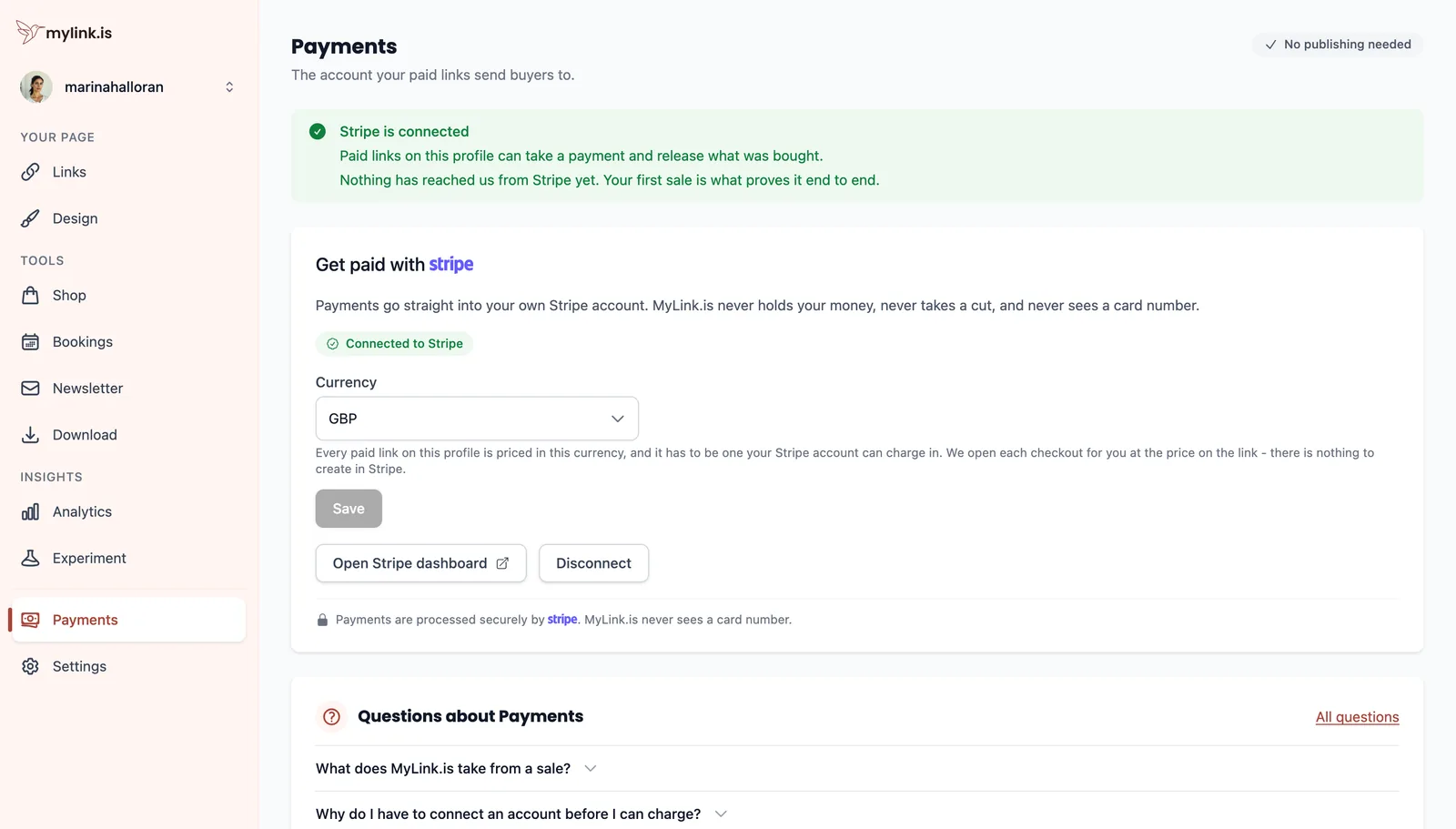
One connection covers the whole page. However many links or products charge for something, they all pay into it.
Pick one currency
One currency per page, chosen here and applied to everything you charge for. It has to be one your connected account can actually charge in.
One rather than one-per-product on purpose. A page listing some prices in dollars and others in euros makes a visitor do arithmetic in the middle of deciding to buy, and a cart mixing two currencies could not be totalled at all. If you genuinely sell into two markets, a second page is the way to do it.
Start charging
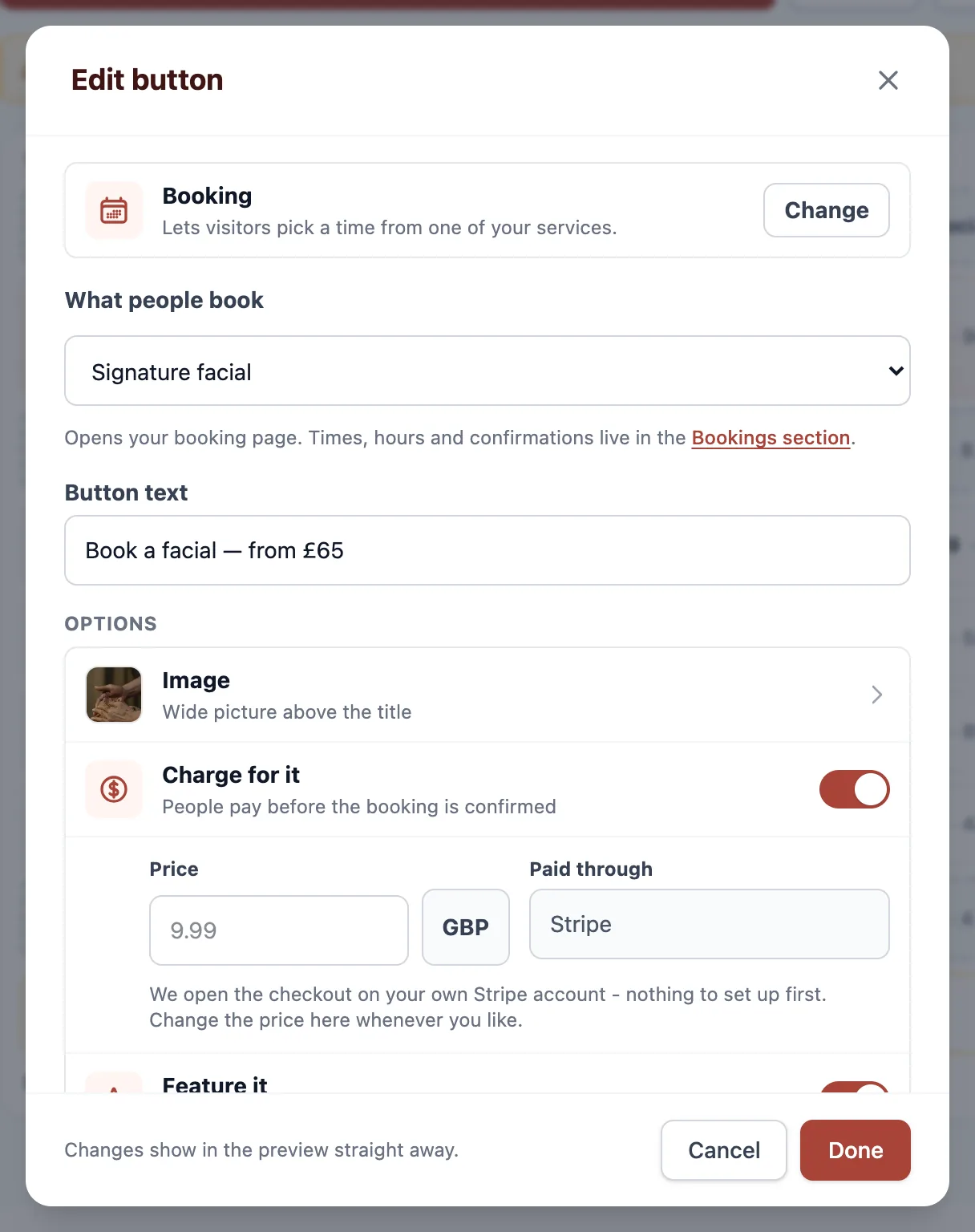
With an account connected, Charge for it comes alive on the two kinds of row that can carry a price — a booking and a gated download — and the Shop can take orders.
Refunds, and what we never touch
Refund from your payment provider's own dashboard. The charge was made into your account, so the refund is issued from it — the money was never held here and cannot be returned on your behalf.
The order stays on record here, so your Analytics still reflect what was sold. It is worth telling the buyer directly rather than leaving them to notice the money reappear.
MyLink.is takes nothing from a sale. The only deduction is your payment provider's own processing fee, which they charge and we never see — along with the card number, which never reaches us at all. What Pro buys is the ability to charge, not a share of what you charge.
Ready to try it?
Everything in this guide is a Pro feature. Pro starts with a 14-day trial, and your page itself is free either way.